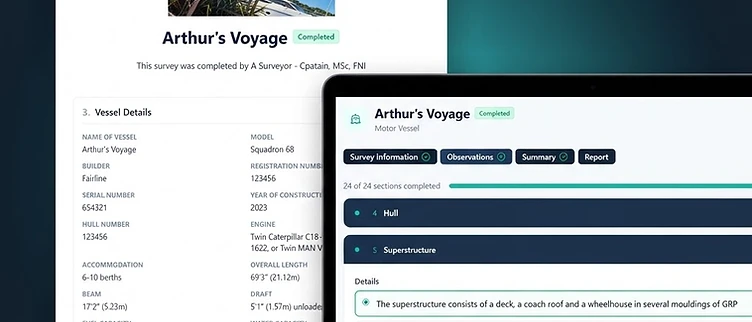
Your professional survey application
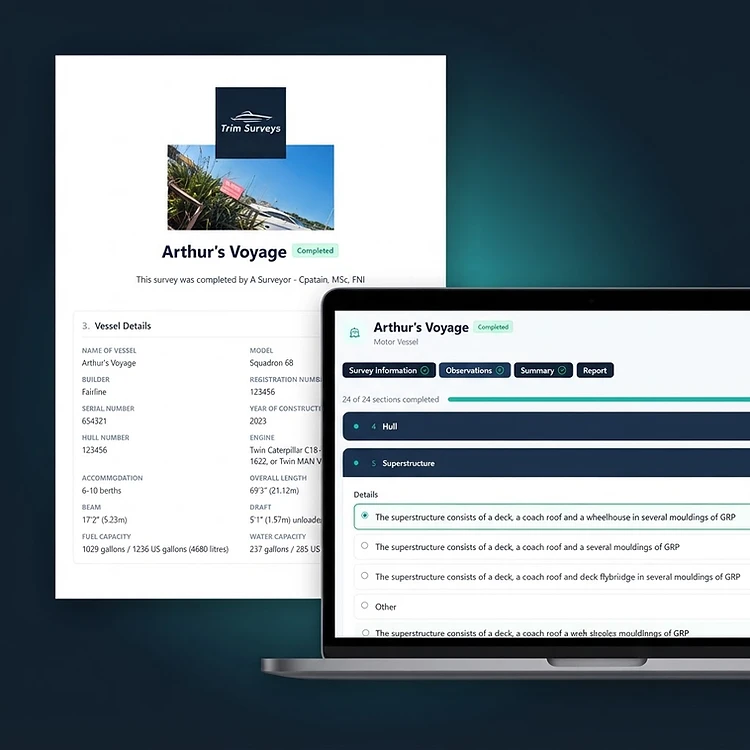
Trim Surveys gives marine surveyors a structured, repeatable way to run vessel inspections from any mobile device or desktop. Choose from tailored Motor Vessel, Sailing Vessel, Narrowboat survey types for Pre-purchase, condition and insurance report types, and the newly launched workflow and PDF report for Damage Reporting.
How it works
01
Set up your account
Add your surveyor details and logo once — they appear on every report.
02
Create a survey
Enter the vessel and client particulars, then choose the vessel type.
03
Record observations
Enter your observations adding photos, voice notes and suggesting recommendations.
04
Export the report
Print or export a professional PDF report, or share a secure link with your client.
Vessel Database
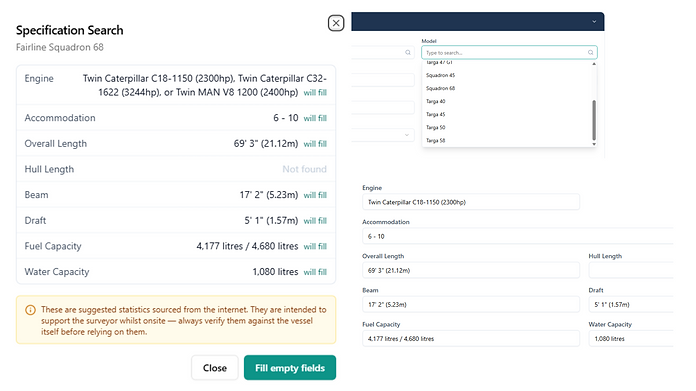
Search for your vessel model - the system will provide vessel stats that match your vessel and drop them into the survey for you
User Experience Redesign
We've taken your feedback on board and redesigned the survey flow from the ground up!
Voice Notes and Transcription
Take voice notes in the field. The app can transcribe them for you to paste directly into the survey
Valuations Engine
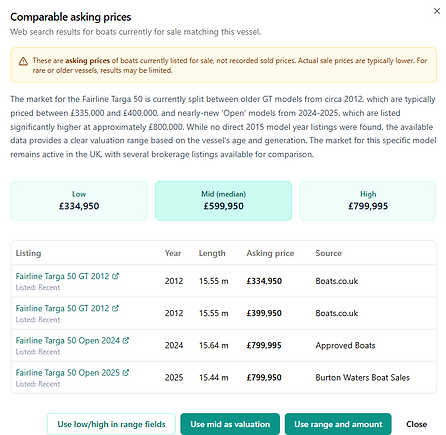
A powerful tool which searches the internet for current valuations on matching vessels - results can be dropped straight into the survey.
Slick PDF Reports
We've updated the PDF templates with a more modern look and feel - Traffic light recommendations as standard.
Damage Reports
Use the power of Trim reports to complete damage reports for customers and insurance companies
How it works
Your professional report is only a few steps away...
Sample Reports
A survey is only as good as the final report! - Check out these real life sample survey reports.

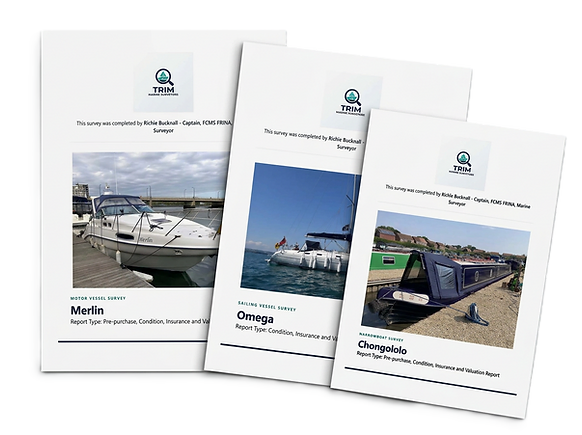
Motor Vessel Report
Survey & Report Types
Choosing your Survey Type of 'Motor Vessel', 'Sailing Vessel' or 'Narrowboat' followed by 'Report Type' of 'Condition, Insurance and Valuation', 'Pre-purchase, Condition, Insurance and Valuation' or 'Damage Report' will tailor the structure of the survey to your needs.

Field Observations
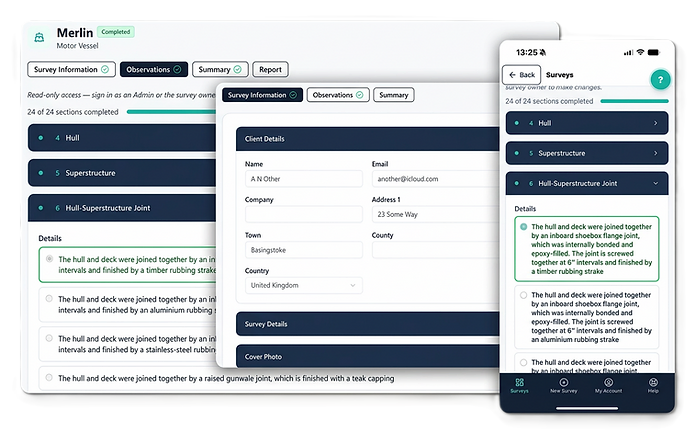
The app will guide you through all required Observation sections. Responses are mix of drop-down boxes, multiple selection fields, and single statement selection fields. At every step of the way, the content you select can be edited by you.

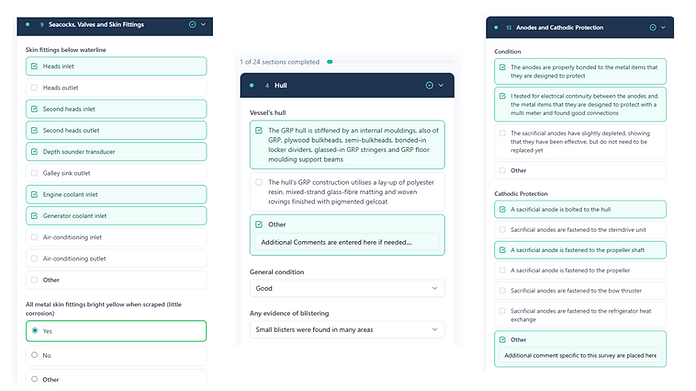
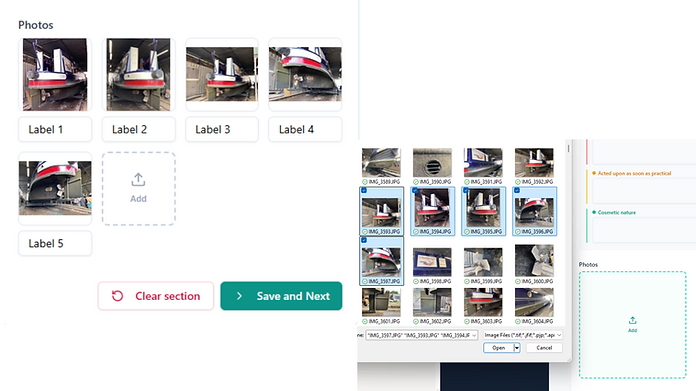
Photo Uploads & Labeling
Managing a large number of photos after the event is not easy, so Trim allows you to upload photos against each section as you go. You can upload single pictures or multiple photos in one go. Each photo can be labeled to clearly identify what it depicts to your client.

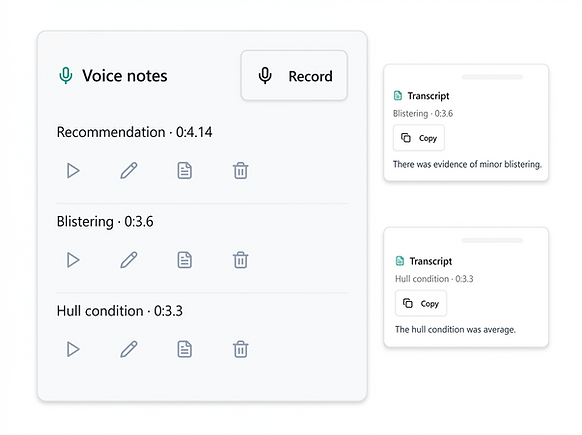
Voice Notes & Transcription
New voice note functionality is enabled by default on mobile and tablet views. Take a note against a specific observation, and the system will transcribe it for you. Voice notes can be labeled. Simply paste the transcription into the survey. You can review and transcribe all voice notes from the desktop app as well.

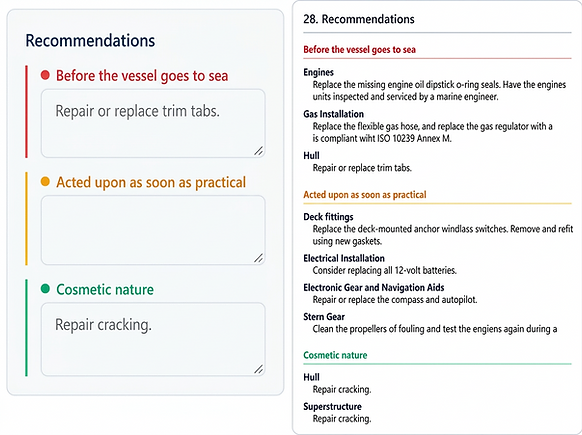
Traffic Light Recommendations
Recommendations are captured within each Observation section in the survey, and consolidated into a 'Recommendations' section, grouped by Observation type on the PDF report.

Vessel Model Search
Enter the builder and make of the vessel and the app will search for detailed specification information such as size, accommodation, standard engine etc.

Valuations
From within the app, search for similar vessels on the market and take an average price or a high / low range.

Question Banks
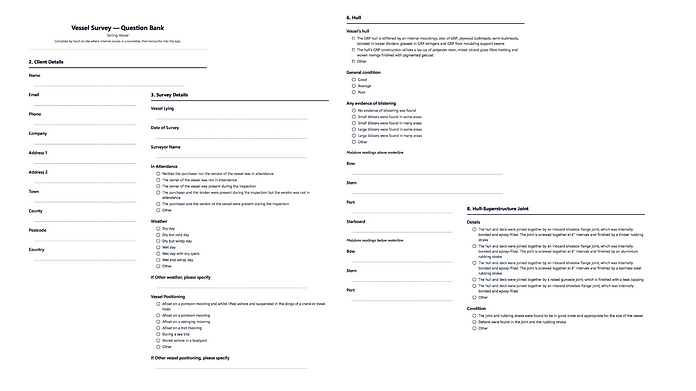
While any data you enter into the app saves immediately so you'll never lose data, we appreciate there may be times when electronic devices are not best suited to weather conditions! As such, we've created a set of question banks for you to download and print to take out in the field. Just transcribe them into the app when you're back under cover!

Report Build & Circulation
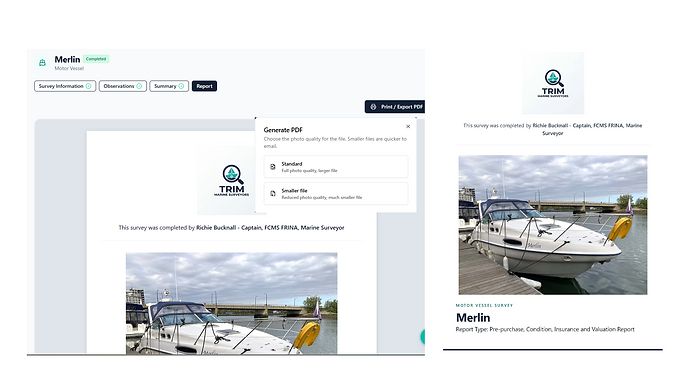
When your report's marked as complete you can choose your PDF file size and download it locally. Clicking on 'Copy link and make public' will copy a direct online secure link to your clipboard for you to send via email / message to your client.

Damage Reports
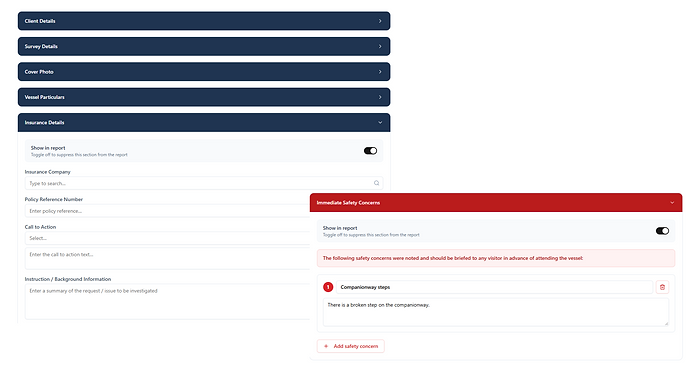
To help with reporting on damage and accidents for clients and insurance companies, we've created a dedicated report type for it. The format is largely the same as a standard survey, with the addition of an 'Insurance Details' section, and an 'Immediate Safety Concerns' section to capture any safety issues for visitors to the vessel. All Observation Sections are disabled by default - simply enable the areas you wish to include in the report and capture comments against them.

Globalization
We're working hard behind the scenes to make Trim Surveys a truly global product. We'll be adding new languages as quickly as we can. Surveyors will be able to set a language at an application level, but also at an individual survey and report level. Stay tuned for more info.


Pricing
You can trial Trim Surveys for free - you'll have as many 'Draft' surveys as you need. We'll also give you your first 3 completed surveys for free. After that, the per survey charges are as below: Full standard survey: £30 / $40 / €35 Damage report: £15 / $20 / €17.50 Completed surveys are invoiced on a monthly basis.
Get started
Ready to run your first survey?
Click to sign up and create your account today!